
Git diffs
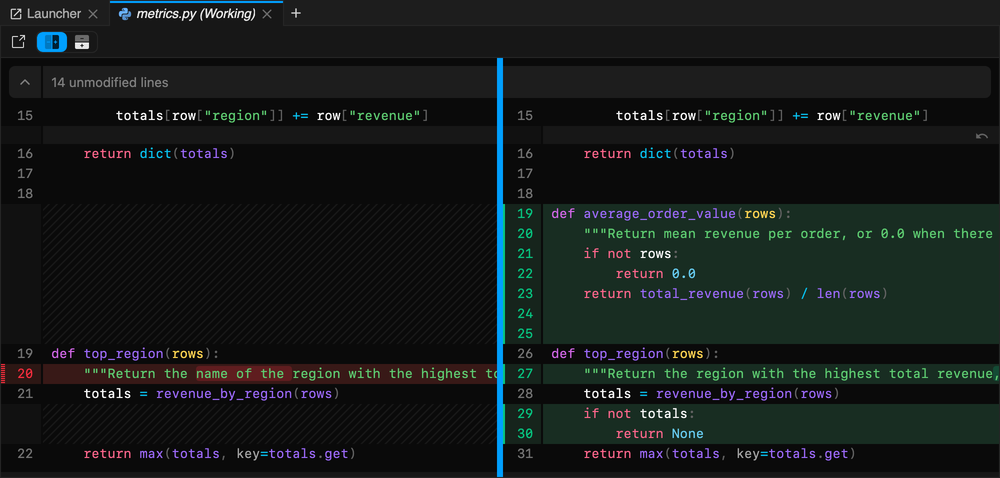
xtralab shows Git diffs with
@pierre/diffs. Text files
and notebooks have side-by-side diffs.
Open a diff
Section titled “Open a diff”- In the launcher, select a file in the Changes list.
- In the Git panel, select a file in Changed or Staged.
- In the file browser, right-click a changed file and select Open With > Git Diff (Working) or Git Diff (Staged).
Change the layout
Section titled “Change the layout”| Toolbar button | Layout |
|---|---|
| Split view | The old and the new version side by side. This is the default. |
| Unified view | The changes in one column. |
| Wrap lines | Long lines wrap to the width of the view. This is off by default. |
In split view, drag the line between the two sides to change their widths. Double-click the line to reset the widths. When lines wrap, the two sides always have the same width.
Edit the working copy
Section titled “Edit the working copy”When the tab title ends with (Working), the right side is the file on disk and you can edit it. xtralab saves the changes to the file.
To revert one change, select the undo arrow at the right of the changed lines (Discard hunk).
Notebook diffs
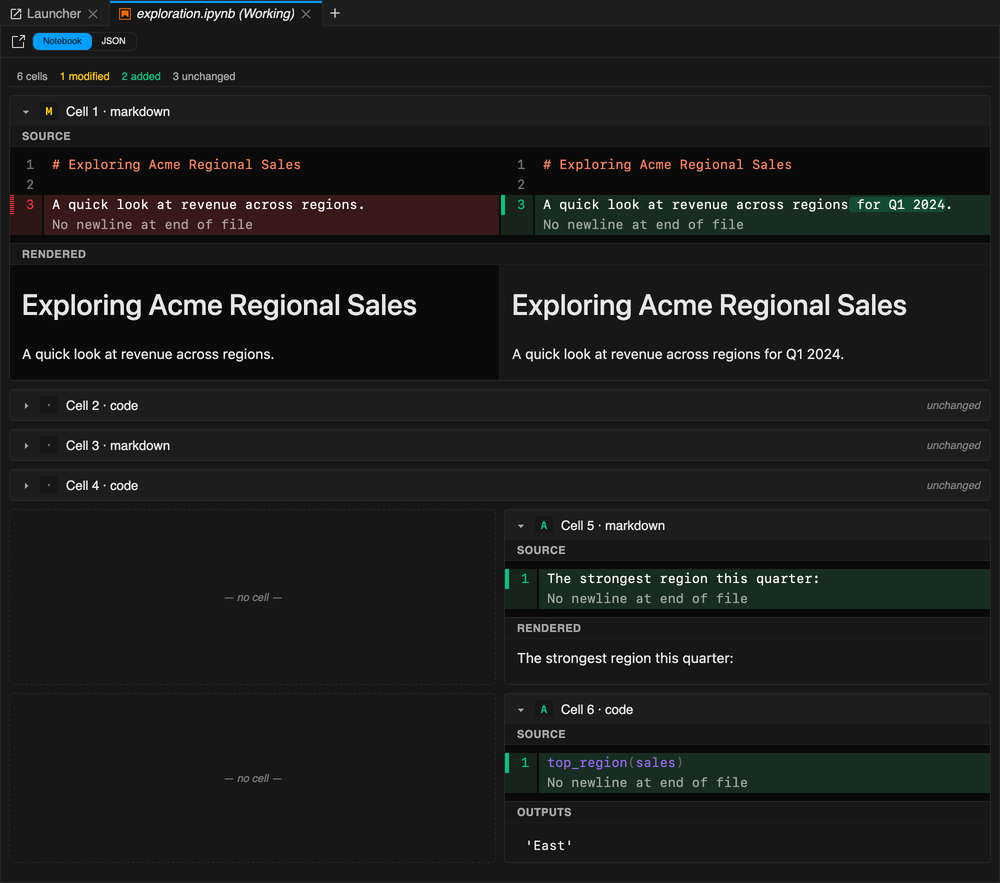
Section titled “Notebook diffs”A notebook diff compares the notebook cell by cell. Markdown cells show the source and the rendered text. Code cells show the source and the outputs.
| Control | Action |
|---|---|
| Notebook | Shows the cell-by-cell diff. This is the default. |
| JSON | Shows the diff of the notebook file as JSON. |
| Cell header | Expands or collapses the cell. Unchanged cells are collapsed. |
The line above the cells shows the number of modified, added, removed, and unchanged cells.
Settings
Section titled “Settings”The toolbar buttons change these settings, and all open diffs use the new value. The width of the two sides in split view is saved with the workspace.
Settings → Settings Editor → xtralab Git Diff
| Setting | Default | Description |
|---|---|---|
Layout (diffStyle) |
split |
split shows text diffs side by side. unified shows them in one column. |
Layout buttons (diffStyleControl) |
buttons |
buttons shows one toolbar button for each layout. toggle shows one button that switches between them. |
Wrap long lines (lineWrap) |
false |
Wraps long lines in text diffs. |
Notebook diff view (notebookViewMode) |
notebook |
notebook shows the cell-by-cell diff. json shows the diff of the notebook JSON. |
Image diff view (imageViewMode) |
2-up |
2-up, swipe, or onion. |