
Omnibox
The omnibox searches the files of the project and the JupyterLab commands. It can also send the text that you type to an agent as a prompt.
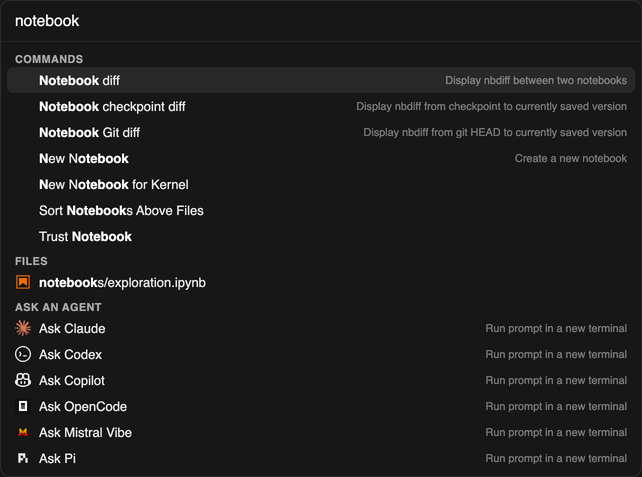
Open the omnibox
Section titled “Open the omnibox”Select Search… in the top bar, or press Cmd/Ctrl+K.
Results
Section titled “Results”| Section | Contents |
|---|---|
| Recently used | The commands and files that you opened from the omnibox. Shows only when the search box is empty. |
| Commands | JupyterLab commands, including the command palette entries, for example Use Theme: Pierre Dark. |
| Files | The files of the project. Files that match .gitignore do not show. |
| Ask an agent | One row for each installed agent that accepts a first prompt. It starts the agent in a new terminal, with your query as the prompt. |
Use the arrow keys to select a result, then press Enter.
Search only commands or only files
Section titled “Search only commands or only files”| Prefix | Results |
|---|---|
> |
Commands only |
/ |
Files only |
Settings
Section titled “Settings”Settings → Settings Editor → xtralab Omnibox
| Setting | Default | Description |
|---|---|---|
Recent items number (maxNumberRecents) |
5 |
The number of recent commands, and of recent files, that the omnibox keeps. 0 turns off recents. |